Choosing a Phone-Free Kids Watch can feel like a small decision with a surprisingly large impact. Parents often want reliable contact without placing a full smartphone in a child’s pocket. A watch can provide calling, location sharing, reminders, and emergency contact features. It can also reduce exposure to social media, distracting games, and constant notifications.
Dr. Jenny Radesky, a developmental-behavioral pediatrician and children’s media researcher, has said, “The goal is not to eliminate technology, but to make it work for families.” That idea fits the purpose of a Phone-Free Kids Watch. The device should support family communication, not control every moment of childhood. A parent might check a child’s arrival after school, while the child still enjoys recess without a glowing screen nearby.
The details matter. Look for strong privacy settings, approved contacts, clear location controls, durable materials, and simple menus. Test the watch before relying on it. Walk through a busy park. Check battery performance. Practice an emergency call.
It is not a perfect solution.
Some children may still become attached to the device. Location features can also create false confidence when signals fail or settings are misunderstood. Parents need regular conversations, not only technical controls. A Phone-Free Kids Watch works best when it supports trust, boundaries, and growing independence. That balance deserves careful thought before purchase.
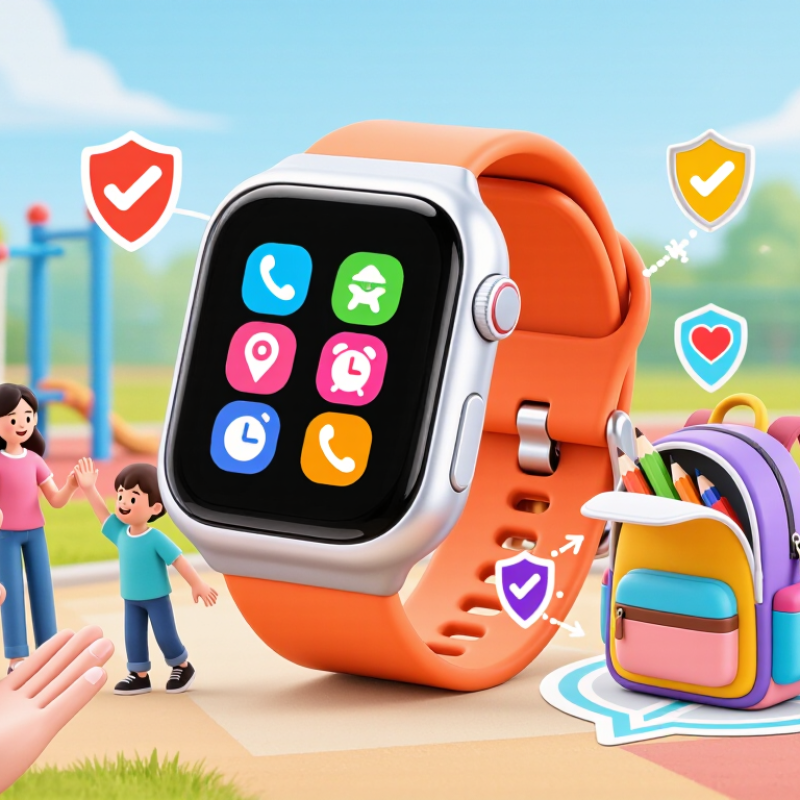
A phone-free kids watch is a wearable device designed to help children communicate without carrying a smartphone. It usually connects to a mobile network and may support voice calls, limited messages, GPS location, and emergency contact features. It is not a tiny smartphone. Most models allow guardians to manage approved contacts, quiet hours, and location settings through a companion app. Features differ widely, so check network support, battery life, and privacy settings before buying.
In daily use, the main advantage is simpler communication. A child can call an approved family member from a playground, walking route, or after-school activity. The watch stays on the wrist and is harder to misplace than a loose phone. School mode can reduce interruptions during lessons. However, GPS is not perfectly precise. Indoor walls, weak signals, and low battery can delay or distort location updates. Treat location as helpful information, not constant proof of safety.
A dependable watch should feel comfortable, resist ordinary splashes, and offer clear controls. Children also need practice answering calls and charging the device. Adults should explain who may contact the watch and when location sharing is used. That conversation matters. Some children may dislike wearing it, and a forgotten charger can make the device useless. I would not assume every family needs one. Test the fit, call quality, and charging routine before depending on it during a busy day. Small details matter.
| Dimension | Phone-Free Kids Watch | Why It Matters for Children | Important Consideration |
|---|---|---|---|
| Definition | A wearable device designed for basic communication, location support, timekeeping, and selected safety tools without providing unrestricted smartphone access. | Children can stay connected while receiving fewer digital features than a conventional smartphone. | Features differ by model, operating system, mobile network, and local regulations. |
| Communication | Usually supports approved contacts, voice calls, preset messages, or voice messages. Some models limit communication to parent-approved contacts. | Parents can maintain direct contact without giving children a full messaging platform. | Calling and messaging require compatible service coverage or a supported connection method. |
| Internet and Apps | Typically has limited or no web browsing, social media, app installation, or unrestricted online content. | Reduces exposure to distracting notifications, online advertising, inappropriate content, and social media pressure. | “Phone-free” does not automatically mean completely offline; check connectivity and software capabilities. |
| Location Features | Depending on the device, location may use satellite positioning, nearby wireless networks, or cellular information. | Parents may be able to view a recent or current location during school travel, outdoor activities, or emergencies. | Location accuracy can decrease indoors, underground, near tall buildings, or when network coverage is weak. |
| Emergency Support | Some devices include an SOS button, emergency calling, contact alerts, or location sharing. | A dedicated control can be easier for a child to use than navigating a smartphone during a stressful situation. | An SOS feature is not a replacement for local emergency services, adult supervision, or an emergency plan. |
| Parental Controls | Common controls include approved contacts, school-time restrictions, activity reports, and location-sharing settings. | Adults can set boundaries before the child uses the device independently. | Parents should review privacy permissions, data retention, account security, and who can access location information. |
| Battery and Charging | Battery life commonly ranges from about one to several days, depending on calls, location updates, screen use, and network conditions. | A smaller device can be practical for daily routines when it is charged consistently. | Frequent location tracking and weak cellular signals can reduce battery life. |
| Distraction Level | Usually offers fewer games, videos, social platforms, and notifications than a smartphone. | The simpler interface can help children focus on schoolwork, conversations, play, and family activities. | A watch may still become distracting if it includes games, frequent alerts, or unrestricted messaging. |
| Privacy and Data | May collect account, communication, device, and location data to operate its services. | Families can make a more informed decision about what information is shared and why. | Read the privacy policy, enable strong passwords, use two-factor authentication where available, and limit unnecessary permissions. |
| School Use | Some devices provide a school-time mode that limits calls, messages, or entertainment during scheduled hours. | Children may have a communication tool without the full range of smartphone distractions. | School policies vary, so families should confirm whether wearable devices are permitted. |
| Best-Fit Use Case | Useful for children who need limited communication and safety features but are not ready for unrestricted smartphone access. | Supports a gradual approach to digital independence and family communication. | It may not be suitable for children who need advanced productivity apps, extensive internet access, or full smartphone functions. |
Note: Capabilities, battery performance, connectivity, privacy practices, and service availability vary by device and region. Always review the technical specifications and local school rules before purchase.
It is a wearable device for calls, limited messages, location sharing, and emergency contacts without a smartphone.
Children can call approved family members from playgrounds, walking routes, or after-school activities.
Yes. Guardians can usually approve contacts, set quiet hours, and manage location permissions through an accompanying app.
No. Indoor walls, tall buildings, weak signals, and low battery can delay or distort updates.
Test call quality, GPS, fit, and charging routines during ordinary days. Small details matter.
No. It adds one safety layer, but children still need guidance, supervision, and backup habits.
Practice calling from a playground, bus stop, and familiar shop. Teach children to describe nearby landmarks.
Explain who can contact the child and when location sharing is active. Silent monitoring can damage trust.
The watch may become useless. Check its charge before school and after busy activities.
Not necessarily. Some children dislike wearing watches, and some families may prefer simpler safety routines.
A Phone-Free Kids Watch is a wearable device designed to help children stay connected without giving them full access to a smartphone. It can support essential communication between children and trusted family members while offering a simpler, more age-appropriate digital experience. Depending on the model, useful features may include voice calling, approved contacts, location sharing, and safety alerts, helping parents stay informed while allowing children greater independence.
These watches can also encourage healthier screen habits by limiting distractions, social media, and unrestricted internet access. When choosing a Phone-Free Kids Watch, families should consider battery life, communication options, location accuracy, durability, privacy controls, ease of use, and compatibility with their daily routines. A suitable watch should balance safety, convenience, and a child’s growing need for independence without replacing family guidance and communication.